
Galaxy Tab S11 series gets stable One UI 8.5 update
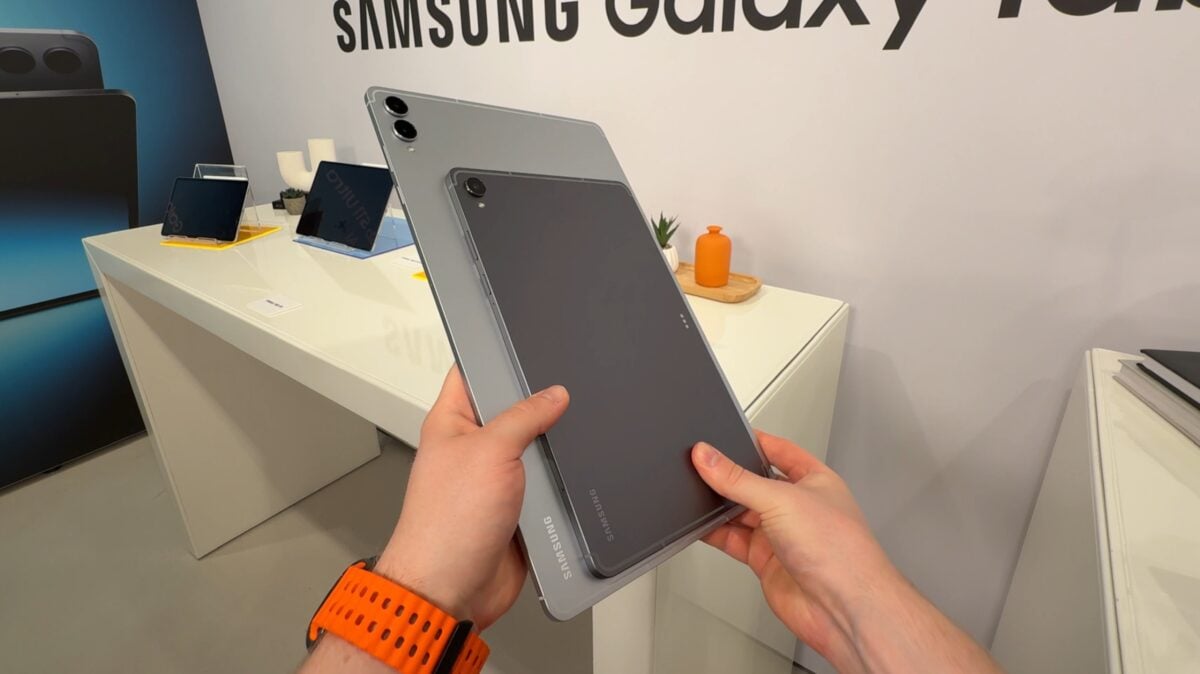
Galaxy Tab S11 Series Receives Stable One UI 8.5 Update: What You Need to Know
In the world of technology, software updates play a critical role in enhancing user experience and device functionality. Recently, Samsung, a frontrunner in the tablet market, has made headlines with the rollout of the stable version of One UI 8.5 for its highly acclaimed Galaxy Tab S11 and Galaxy Tab S11 Ultra models. This update promises to bring a host of new features, performance improvements, and security enhancements to users. In this article, we’ll delve into what One UI 8.5 entails, the updates it brings to the Galaxy Tab S11 series, and how users can make the most of these changes.
Understanding One UI 8.5
One UI 8.5 is Samsung's latest user interface built on top of Android, designed to enhance the overall usability of its devices. With a focus on providing a more intuitive experience, One UI 8.5 introduces several enhancements that streamline navigation, improve multitasking capabilities, and offer more customization options.
The update reflects Samsung's commitment to providing innovative features while ensuring security and performance are not compromised. Users can expect refined aesthetics, smoother animations, and an overall polished experience with this latest version.
Key Features of One UI 8.5
The stable release of One UI 8.5 brings an array of features that users of the Galaxy Tab S11 and S11 Ultra will appreciate. Here’s a closer look at some of the most notable enhancements:
# 1. Enhanced Multitasking Capabilities
One of the standout features of One UI 8.5 is its improved multitasking functionality. Users can now enjoy the ability to run multiple apps side by side with greater ease, making it ideal for productivity tasks. The update introduces new window management options that allow users to resize and rearrange app windows effortlessly.
# 2. Refined User Interface
The aesthetic improvements in One UI 8.5 are evident, with a more streamlined interface that enhances usability. Icons have been refined, and the overall layout has been optimized for better navigation. This visually pleasing design not only enhances the user experience but also makes it easier to access frequently used features.
# 3. Updated Security Features
Security is paramount in today’s digital landscape, and One UI 8.5 addresses this concern head-on. The update includes the latest security patches and enhancements that safeguard personal information and device integrity. Users can feel confident that their data is protected with Samsung's robust security measures.
# 4. Improved Performance
Performance enhancements are always a welcome addition in any software update. One UI 8.5 promises faster app launches, reduced lag, and improved battery management. These optimizations ensure that the Galaxy Tab S11 and S11 Ultra deliver a seamless and efficient user experience, whether for work or entertainment.
# 5. Customization Options
Customization has always been a hallmark of Samsung’s One UI, and version 8.5 takes it a step further. Users can now personalize their devices with new themes, wallpapers, and customization settings that allow for a unique look and feel. This level of personalization empowers users to tailor their devices to their preferences.
How to Update Your Galaxy Tab S11 Series
For current Galaxy Tab S11 and S11 Ultra users eager to enjoy the benefits of One UI 8.5, the update process is straightforward:
1. **Connect to Wi-Fi**: Ensure your device is connected to a stable Wi-Fi network to avoid interruptions during the download process.
2. **Check for Updates**: Go to 'Settings' > 'Software Update' > 'Download and Install.' Your device will check for the latest updates.
3. **Download and Install**: If the One UI 8.5 update is available, follow the prompts to download and install it. Make sure your device has adequate battery life or is plugged in during the installation process.
4. **Enjoy the New Features**: Once the installation is complete, explore the new features and enhancements that One UI 8.5 has to offer.
User Reactions and Feedback
Since the release of One UI 8.5, feedback from users has been overwhelmingly positive. Many have praised the update for its improved performance and user-friendly interface. Reviews highlight the efficiency of multitasking and the aesthetic upgrades, making the Galaxy Tab S11 series even more appealing for both leisure and professional use.
However, as with any major update, some users have reported minor bugs and issues. Samsung is known for its commitment to user satisfaction and typically addresses these concerns quickly through subsequent patch updates. Users are encouraged to report any issues they encounter to help improve the overall experience.
Conclusion
The stable release of One UI 8.5 for the Galaxy Tab S11 and S11 Ultra marks a significant milestone in Samsung's ongoing efforts to enhance user experience through software innovation. With features designed to improve multitasking, security, and customization, users can expect a more efficient and enjoyable device experience.
As technology continues to evolve, staying updated with the latest software is crucial for making the most of your devices. For Galaxy Tab S11 series users, One UI 8.5 is a step forward in maximizing the potential of their tablets. Be sure to check for the update and explore the new features that await you. Happy exploring!